Open-source desktop software

Speak naturally.
Write anywhere.

Vaak turns your voice into clean text and places it in the app you are already using. Local-first, provider-agnostic, and entirely under your control.

Free early preview · Windows · No Vaak account required

Vaak desktop analytics showing time saved and recent voice activity
Local dictation is ready

Voice input should not make you change how you work.

Keep your editor, inbox, CRM, terminal, or browser exactly where it is. Trigger Vaak, speak, and let your words land in the focused field.

  1. 01

    Press your hotkey

    Call Vaak without reaching for your mouse.

  2. 02

    Say what you mean

    Use the speech provider and model you trust.

  3. 03

    Keep moving

    Clean text appears in the app already in front of you.

Useful on day one.
Yours by design.

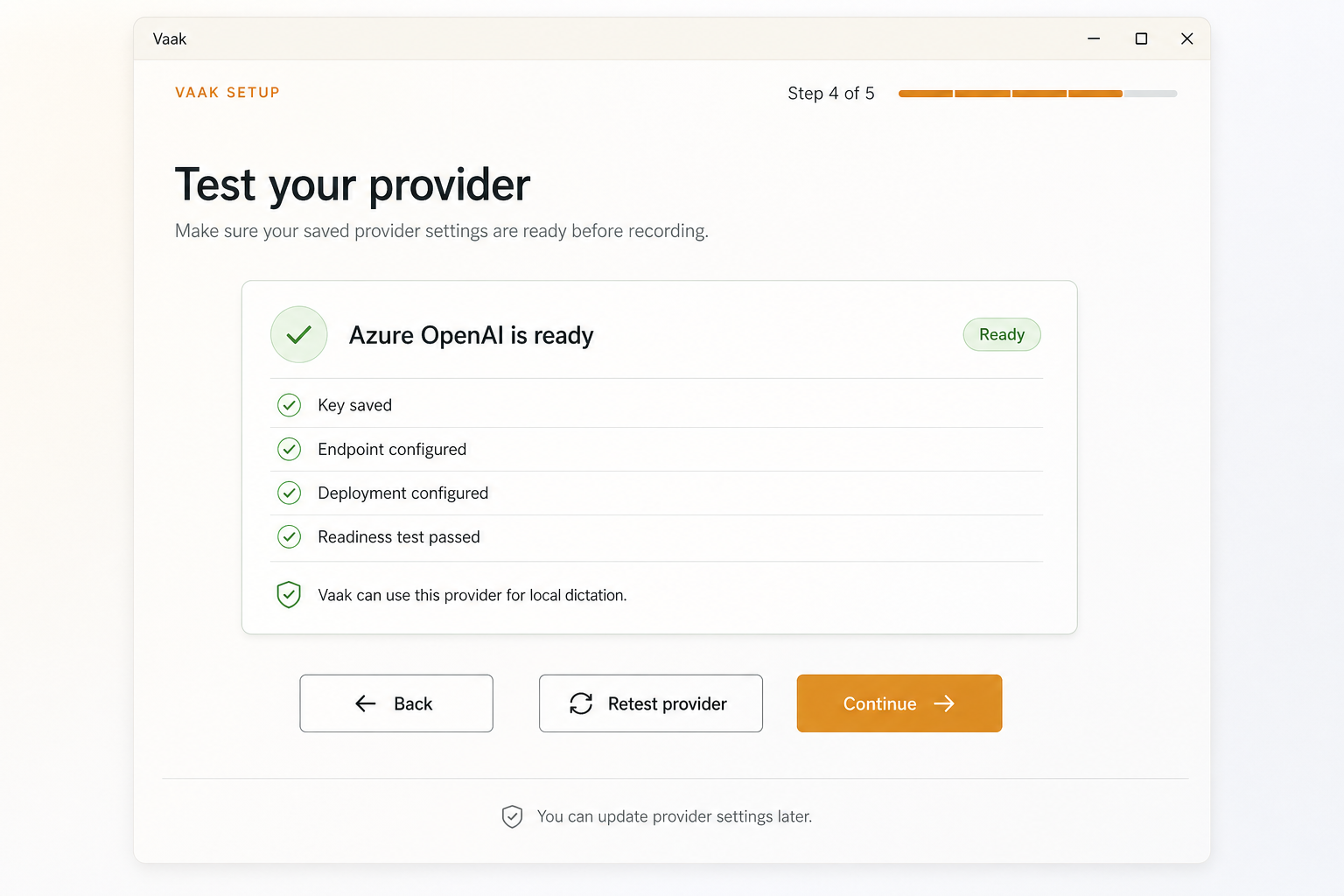
Vaak has no required hosted account. Bring your own speech provider key, store it through the desktop app’s secure local path, and choose the setup that makes sense for you.

Explore provider support
Vaak showing a speech provider ready for use

Pay for usage.
Not a calendar.

Most voice tools begin with a recurring plan. Vaak begins with a choice: connect your own provider, or top up managed minutes when convenience matters.

01Available now

Bring your own key

Free to Vaak

Use the provider you already trust. Your key stays in the desktop app’s secure local storage path, and no Vaak account is required.

  • Local-first workflow
  • Your provider, your bill
  • Open-source desktop app
02Coming soon

Managed minutes

$1for 60 minutes

Skip provider setup and use Vaak’s managed transcription. Top up when you need it—without turning another tool into a monthly bill.

$5 300 minutes $10 600 minutes

No subscription. No automatic renewal. Local mode remains yours.

01

Local-first

Use dictation without turning a hosted account into the center of your desktop workflow.

02

Provider choice

Choose the transcription service that fits your privacy, quality, and cost requirements.

03

Open to inspect

Read the code, run it yourself, and help shape a serious desktop voice tool in the open.

Early preview

Let your desktop
listen better.

Install Vaak, bring a provider key, and try voice input in the tools you already use.

macOS preview builds are also available on GitHub Releases.